Clean House for Mac · First 5 GB free · macOS 15+

Time toclean house.

Clean House is a Mac storage cleaner that tells you what each file is and what comes back if you delete it. Walk your Mac room by room and see what is piling up, and why.

On my own Mac: 170 GB of System Data, 42 GB of it WhatsApp. Clean House showed me which parts were safe to clear.

  • Nothing goes until you say so
  • Undo until you empty Trash
  • No uploads
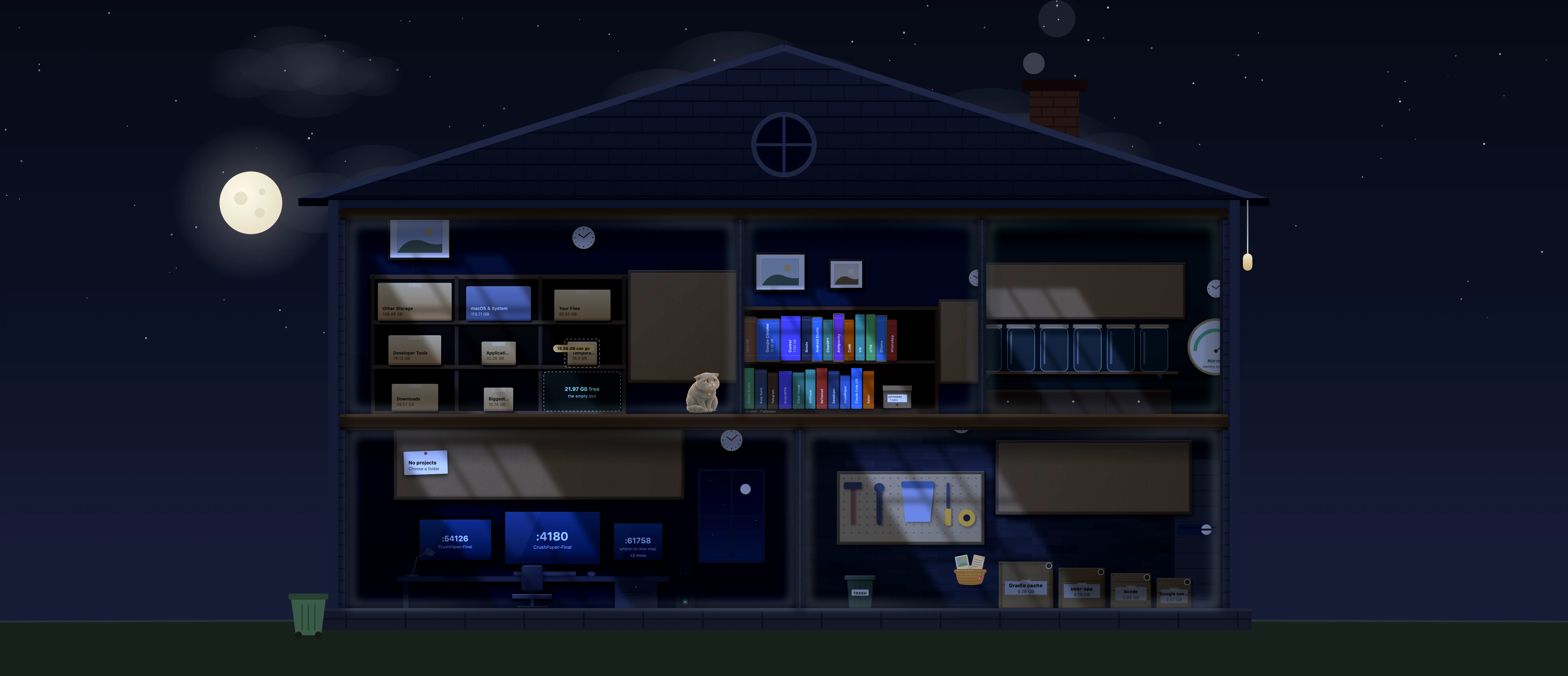
Clean House paints your Mac as a cut-away house: shelves of boxed folders, a bookshelf of apps, a pantry of memory jars, a cosy living room with a fire, and a workshop of crates ready for the Trash.
  1. The shelves

    Big folders, boxed and labelled.

  2. The workshop

    Crates of things that are safe to go.

  3. The stove

    Every clean drops coal in. Keep it warm and the cat stays.

Or install from Terminal. It checks the SHA-256 and skips the “can't be opened” prompt. Read the script.

Sound familiar?

  • “Your disk is full.” Again.
  • A Downloads folder nobody has opened in a year.
  • The fear of deleting the wrong thing.

Every file gets
a Why?

Other cleaners show a path and a size. Clean House reads facts your Mac already keeps, then makes one plain call: safe to clear, look first, or keep.

Before
~/Downloads/Goa-trip-4K.mov4.2 GB

A path and a size. Delete it or not?

After: the Why? card (example)

Goa-trip-4K.mov 4.2 GB

Came from
A download. macOS recorded the website it came from.
Last opened
Never, since you downloaded it 8 months ago.
If it goes
It leaves this Mac. You can download it again from that website.
Undo
It goes to the Trash first. Put it back until you empty it.

Safe to clear

Safe to clear

An installer you already ran.

Look first

A big video you have not opened in months.

Keep

Your photos and the files you use.

  1. Made byThe app that owns it, and whether that app is still installed.
  2. Last openedA real date from the file. Never a guess.
  3. Came fromThe website a download came from, as macOS recorded it.
  4. If removedRe-download, rebuild, or gone for good.
  5. Comes back?Caches that refill get a way to cap them instead.

Downloads, Desktop and Documents,
sorted for you.

The folders where things quietly pile up. Clean House sorts what it finds there by what it is and when you last opened it, and every file gets a Why? card.

  • Downloads

    Old installers, videos and zip files you forgot.

  • Desktop

    Screenshots and drafts that stacked up.

  • Documents

    Big files you have not opened in a long time.

New

Tidy Desktop in one click

Everything on your Desktop moves into one folder, so you start clean. Changed your mind? Put Back returns every file to where it was.

New

Ready-made piles

Tick a whole pile at once, or double-click one to see every file in it.

  • Old screenshots
  • Installers you've used
  • Zips you've opened
  • Extra copies
  • Downloads over a year old

A house,
not a dashboard.

Every room holds one kind of clutter. Walk through it room by room. A cat lives here too, and it is rather fond of the fire.

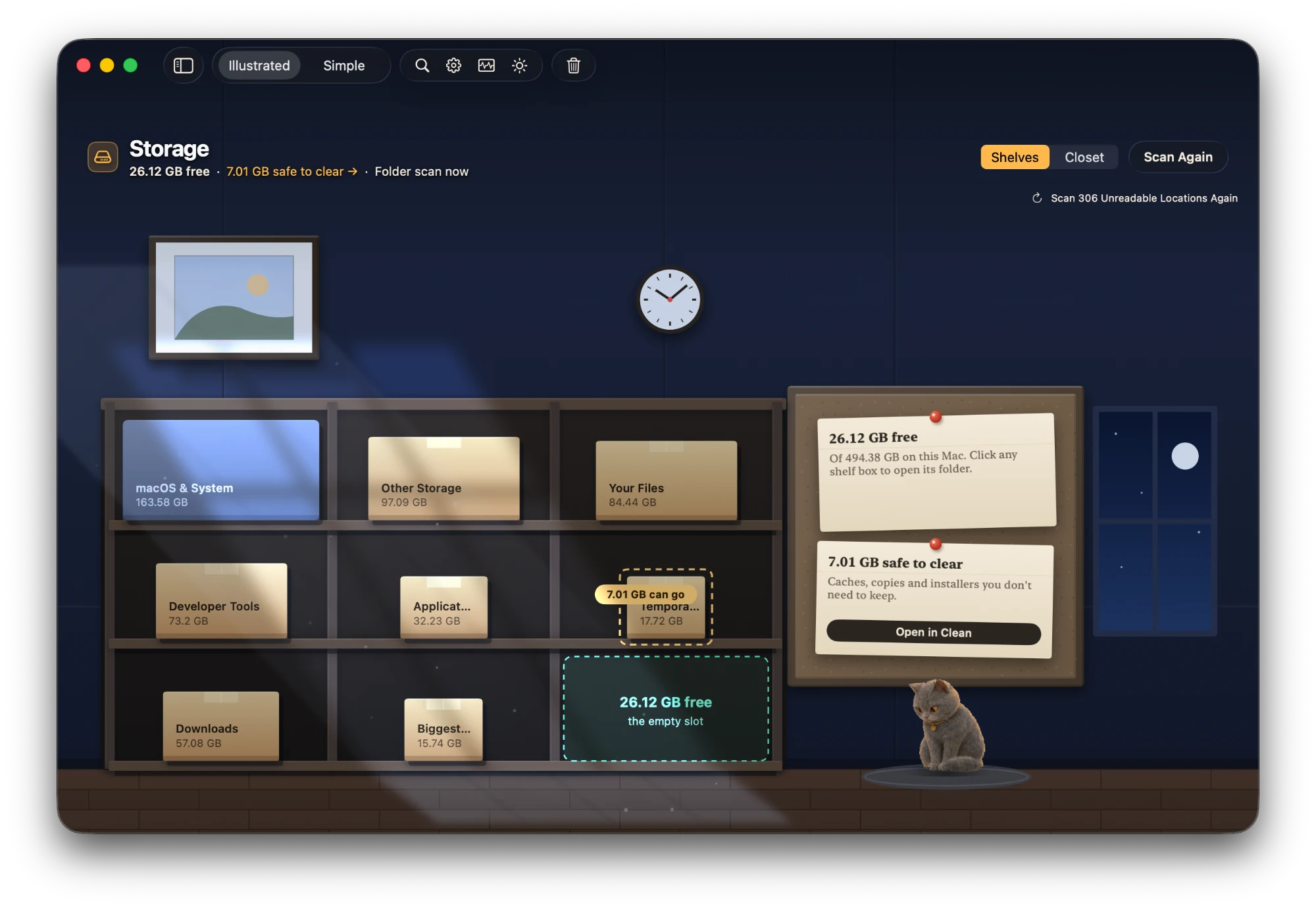
Space room: a storage loft with cardboard boxes on shelves, each sized by the folder it stands for
01

Space

Up in the attic: the boxes you forgot about, each sized by what it holds.

Every big folder is a box on a shelf, sized by what it holds. The empty slot is your free space.

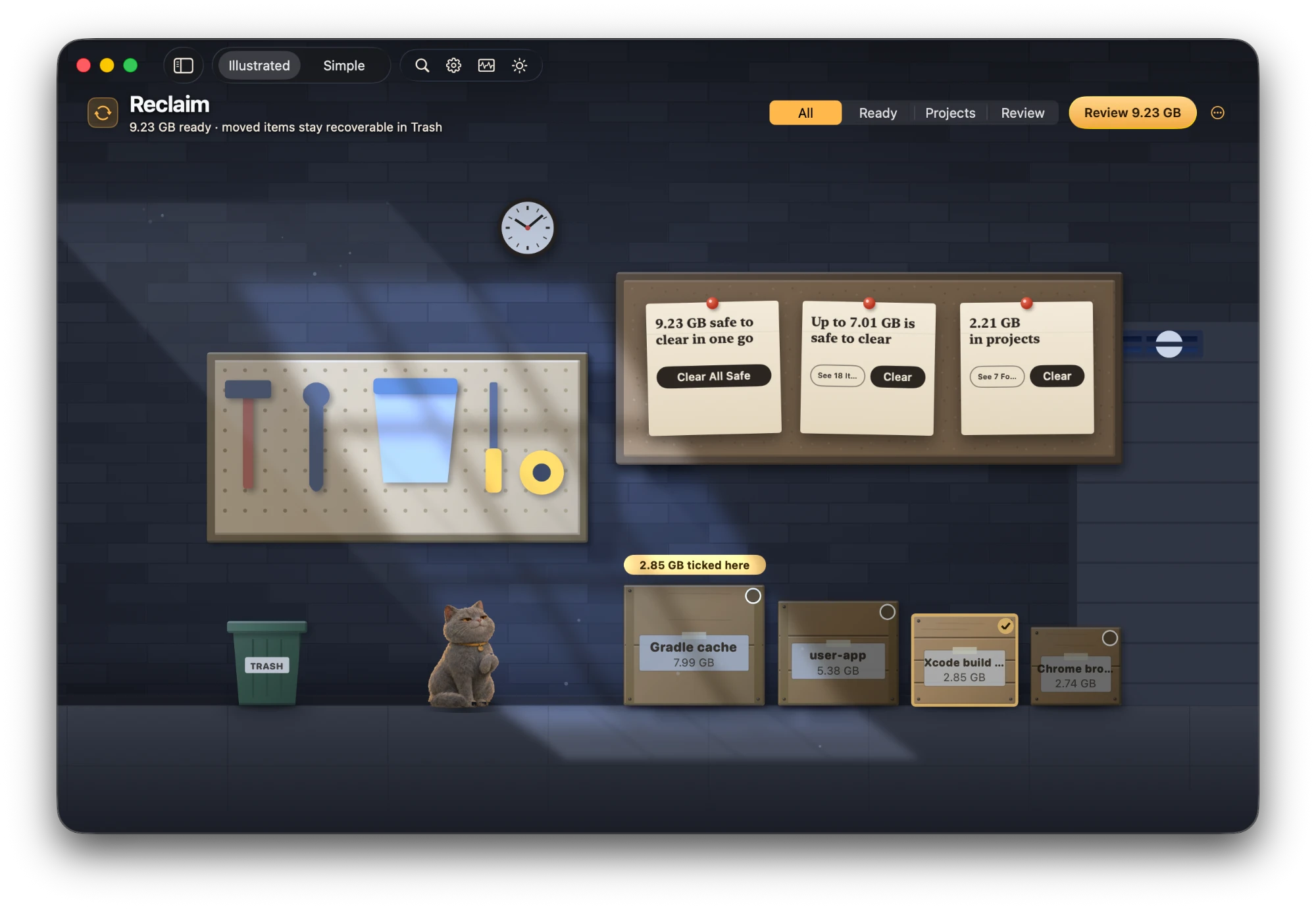
Reclaim room: a workshop with crates of clearable things and a trash can
02

Reclaim

Down in the workshop: crates of stuff that is ready to go, and a bin to put it in.

Recover space safely. Things are sorted three ways: safe to clear, your projects, and look first. Tick one, see what goes.

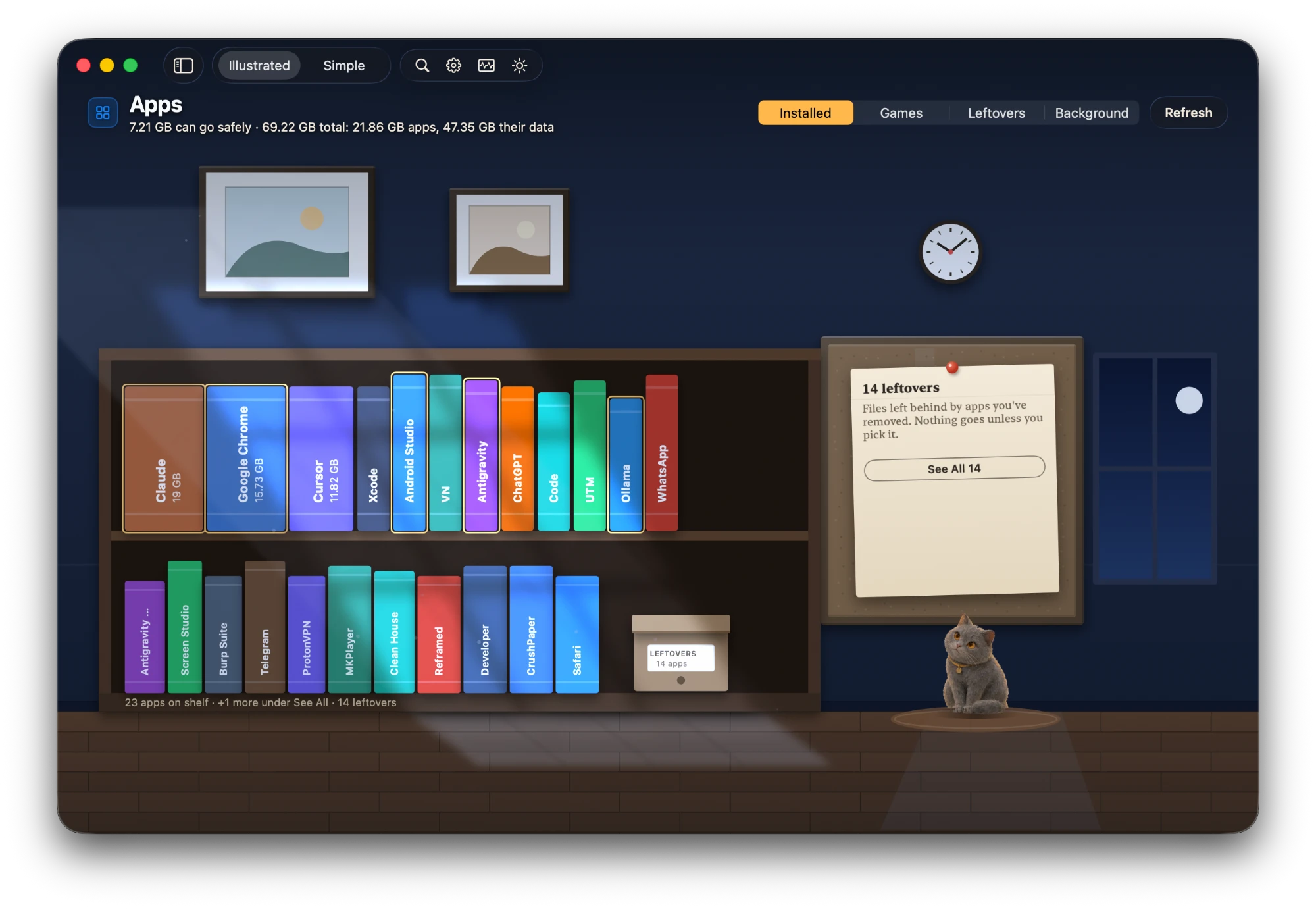
Apps room: shelves of books, one for each app
03

Apps

The bookshelf: one book per app, and the thicker it is, the more room it takes.

One book per app, as thick as the app and its data. Leftovers from removed apps wait in a box.

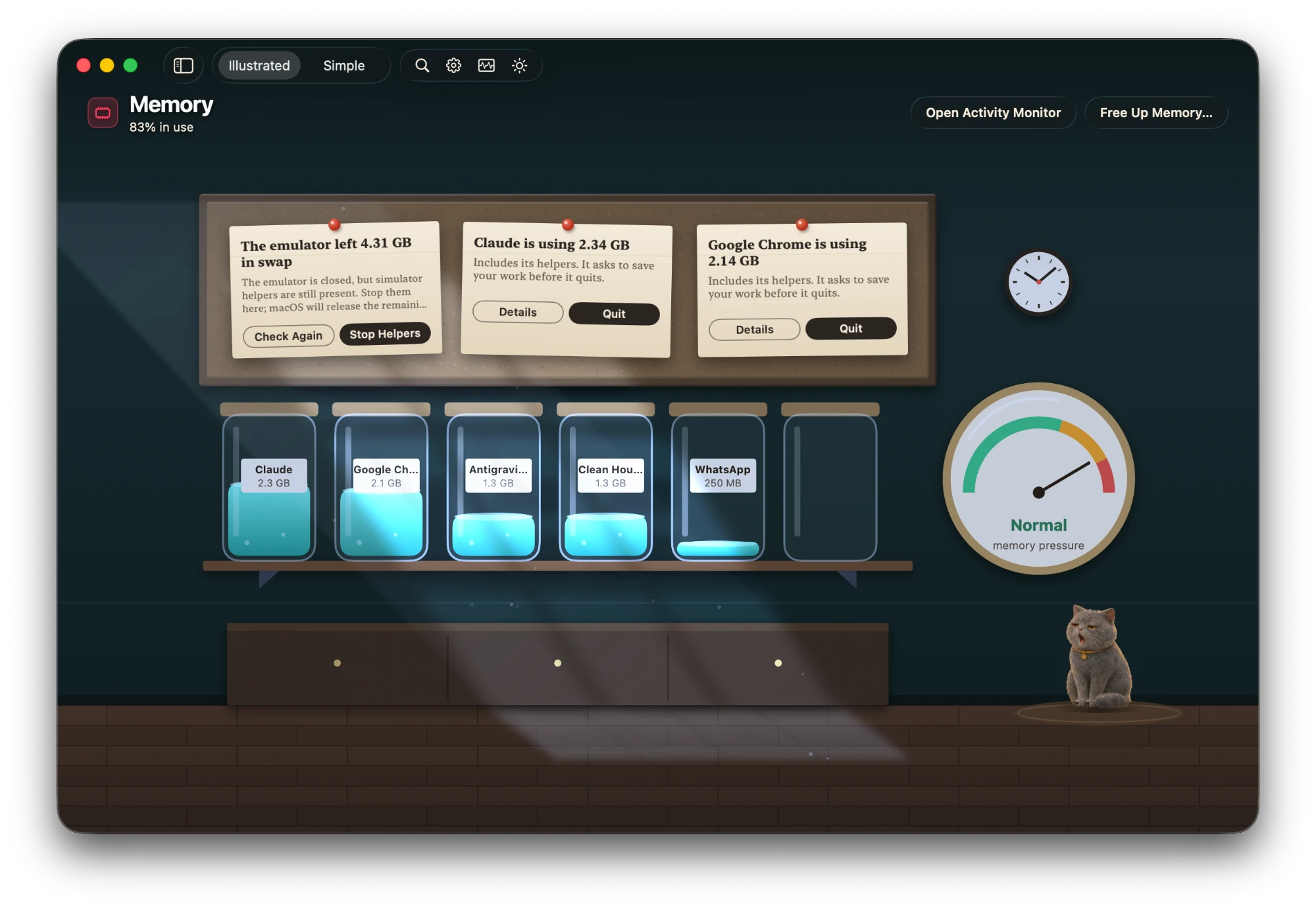
Memory room: glass jars on a shelf, one filled for each app
04

Memory

The pantry: what each app is using right now, poured into jars.

Each app's memory, helpers counted, poured into a jar. Real memory pressure on the gauge.

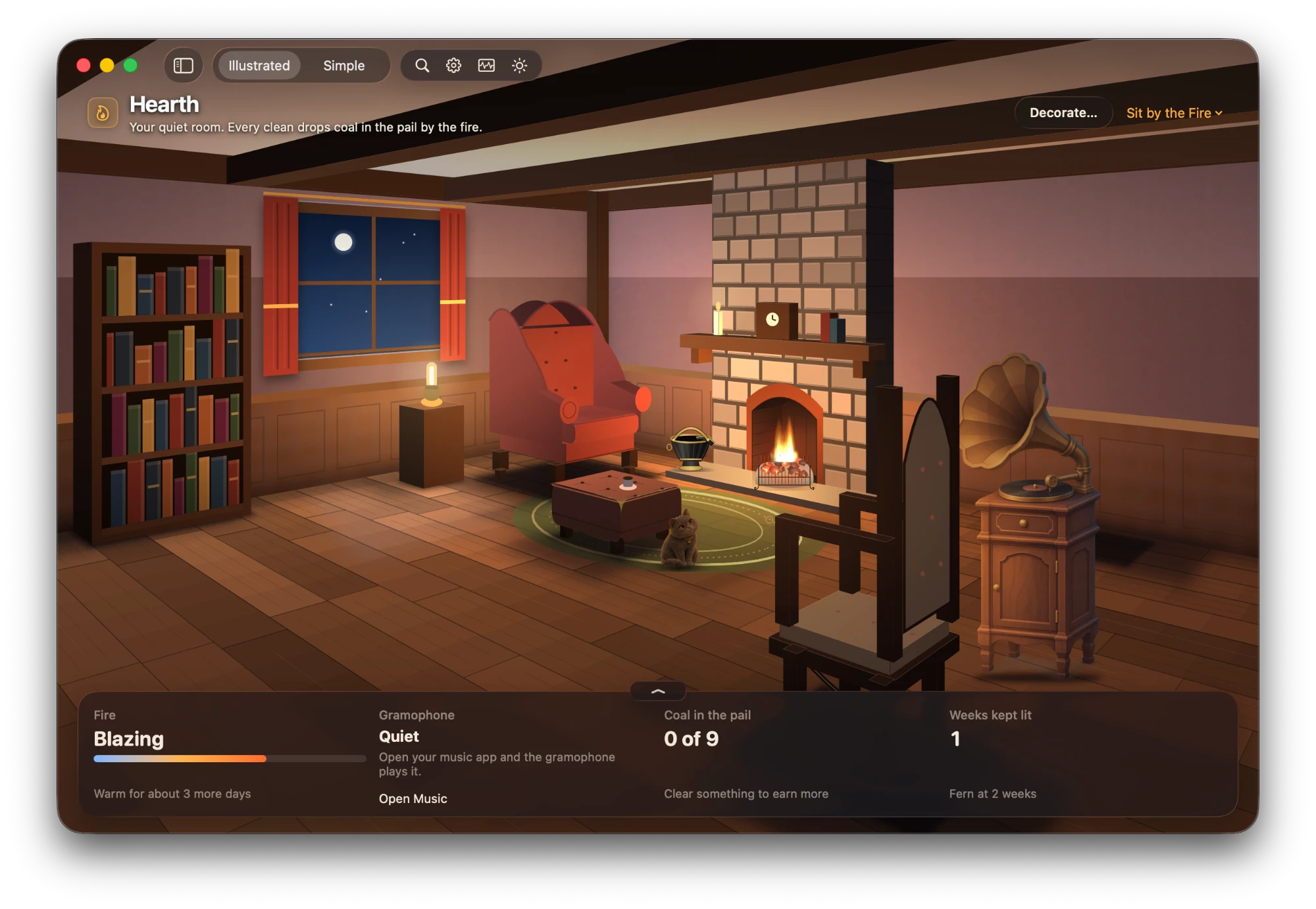
Hearth room at night: a cottage living room with a burning fire, a coal pail, armchair, rocking chair, gramophone and the cat on the rug
05

Hearth

The cosy cottage room at the end of the hall.

Every clean drops coal in the pail by the fire. Keep it warm and the room earns small things.

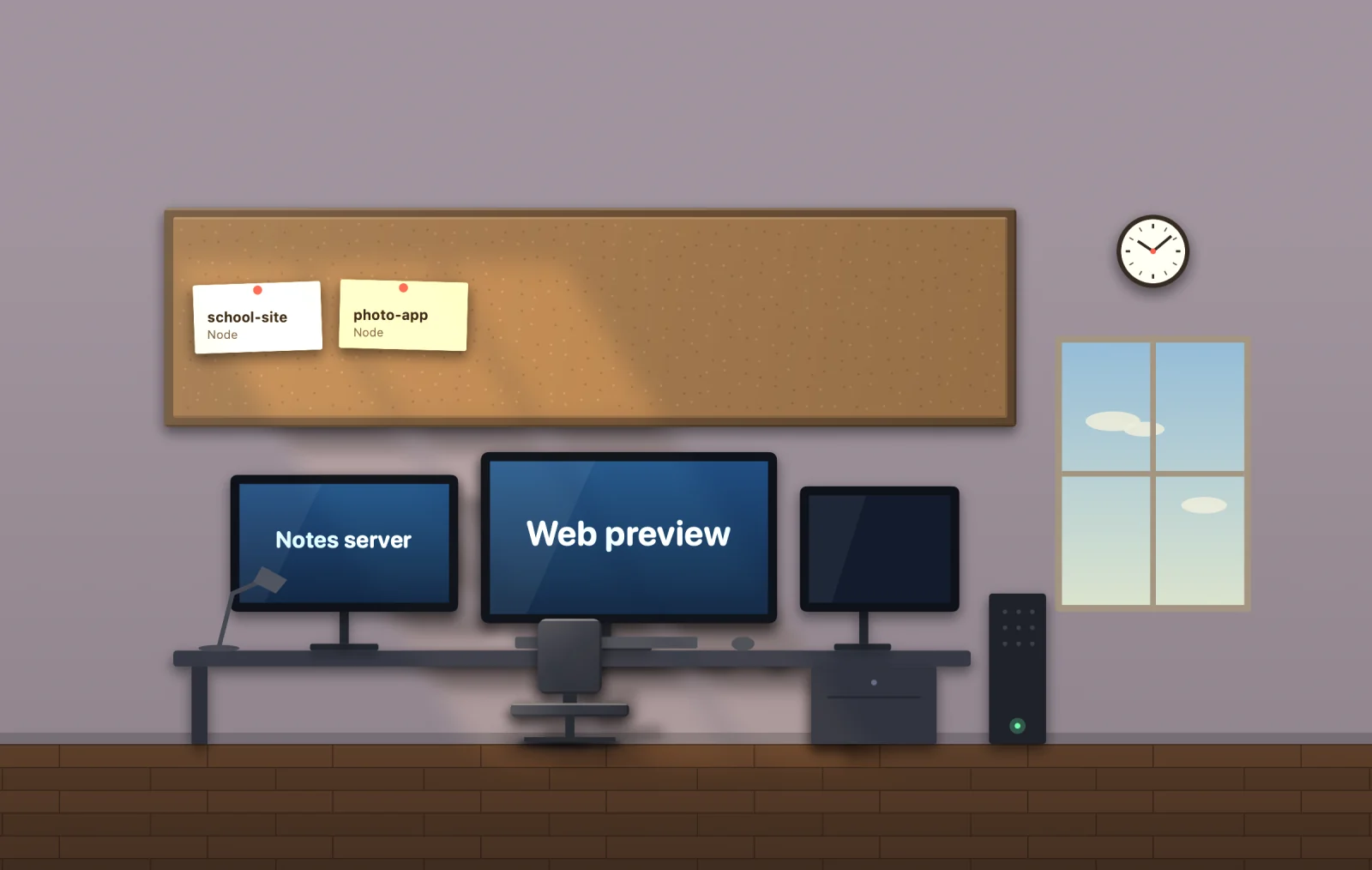
Dev Desk: a writing desk with a lamp and a row of switches, one for each running service
06

Dev Desk

The writing desk, for people who build things.

Every listening port by name, with a stop button.

Appears only if you write code.

Your notch,
actually useful.

Hover the notch and see what you check all day: how much space is left and when it runs out, what is using memory, and which ports are in use. Stop the dev server you forgot. Clear a cache that rebuilds itself, straight to the Trash.

Clean House in the MacBook notch: free space with a full-in-about-a-day warning, a cache folder ready to move to the Trash, apps using the most memory with Quit buttons, and dev servers on ports 3002 and 3469 with Stop buttons
  • Space Free space, and a warning before it runs out.
  • Memory The apps using the most, with Quit.
  • Ports Dev servers you started, how long they have run, and Stop. It never stops your shell or your AI agent.
  • Free The notch is in the free version. Only moving more than 5 GB to the Trash needs Pro.

Moved to the Trash first.
Deleted only when you empty it.

Try it. Tick a crate.

Just a demo — nothing here touches your Mac.

  • It goes to the Trash first.
  • Put it back any time before you empty the Trash.
  • Nothing leaves your Mac.
  • No account.
  • No subscription.
  1. 01

    Tick

    Ticking only marks a file. Nothing moves yet.

  2. 02

    Move to Trash

    Each file is checked again right before it moves.

  3. 03

    Put back

    Recently Cleared returns anything to where it was, until you empty the Trash.

System files are never touched.

Good company.
A different idea.

Swipe or scroll to see all four apps.

FeatureClean HouseCleanMyMacDaisyDiskMole
Says why a file is safeFacts from your MacGeneric categoriesShows space onlyWhat, not why
Trash first, put back laterEvery clean——Some commands delete outright
Explanations stay on your MacYes—No explanationsNo explanations
Price5 GB free · Pro $6.99 once~$40/yr~$10 onceFree

Prices approximate, from public pages, Nov 2026. “—” means not checked, so not claimed.

One price.
No subscription.

Free

$0

Scan your whole Mac, every explanation, Peek and undo. Clean up to 5 GB.

Download

Solo

$6.99

$6.99 launch price, then $9.99 · 2 Macs

Coming soon

Your licence key arrives by email. Clean House only goes online to check for updates and once to activate your key. Payments by Dodo Payments, which handles tax. Try it free first: scan everything and clean 5 GB before you pay. Refunds.

How much CPU and energy does Clean House use?

We tested Clean House 0.9.3 on an M4 MacBook Air running macOS 26.5.2 on battery. Each idle measurement covered one minute after the app settled. CPU is a percentage of one core, and energy is macOS’s estimate for the Clean House process.

Reclaim open in Simple mode averaged 2.0% CPU and 0.27 J (4.5 mW). Reclaim open in Illustrated mode averaged 18.5% CPU and 1.36 J (22.6 mW). Window closed with the notch collapsed after using Illustrated mode averaged 19.5% CPU and 2.08 J (34.6 mW).

In a 56-second Instruments trace covering navigation and a scan, Clean House recorded six main-thread stalls of 0.25–0.29 seconds.

Do I need to be technical?

No. Every file gets a plain-words card saying where it came from, when you last opened it and what happens if it goes. The developer room only appears if you write code.

What if I delete something by mistake?

Clean House moves selected files to the Trash after a final check and never offers system files for removal. Recently Cleared can put files back until you empty the Trash. Empty Trash asks for confirmation and can’t be undone.

Does it work with iCloud?

Yes. It reads iCloud Drive files without downloading them. Cleaning moves files to the Trash, and a file you trash from iCloud Drive follows iCloud's usual rules, so check it is not needed on your other devices first.

Does anything leave my Mac?

Your files don't. Scans, rules and Why? cards run on your Mac, and file names and paths are never uploaded. No account. The only network call is the update check, which you can turn off in Settings › Updates.

What does “look first” mean?

Clean House can't be sure you're done with it, so it shows you the facts instead of deciding for you.

Why Full Disk Access?

macOS hides some storage from apps. Full Disk Access lets Clean House count it. It's optional; without it you'll see where storage is hidden.

Is it free?

For your first 5 GB, yes. Scanning, explanations, Peek and undo are always free, and you can clean up to 5 GB without paying. Pro removes the limit, one time.

Is it a subscription?

No. Pay once, keep it. Updates included.

Which Macs?

Any Mac on macOS 15 Sequoia or later.

I lost my licence key

It's in the email from Dodo Payments. Can't find it? Write to [email protected] with the email you paid with and we'll send it again.

How do I get help?

Email [email protected]. A real person reads every message.

Download Clean House.

Download for Mac

v0.9.3 · macOS 15+ · 23.5 MB · first 5 GB free