Clean House
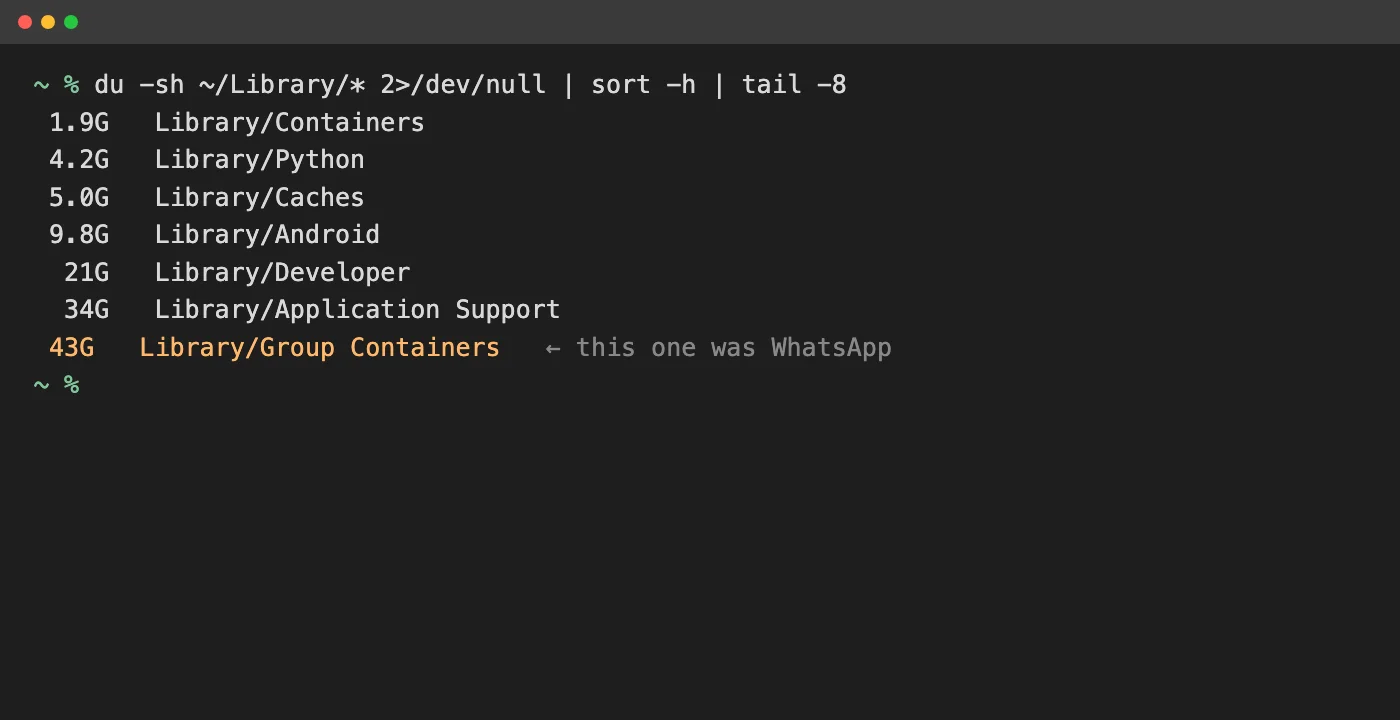
WhatsApp for Mac keeps every photo, video and voice note from your chats in a hidden folder, and macOS counts it as System Data. On my Mac it was 43 GB, and 42 GB of that was chat media. Trim it inside WhatsApp, one chat at a time. Don't delete the folder in Finder.
- Path
~/Library/Group Containers/group.net.whatsapp.WhatsApp.shared/Message/Media- What it is
- Photos, videos, voice notes and documents from your chats
- Size on my Mac
- 42 GB (measured 25 November 2026)
- Made by
- Safe to delete?
- Look first, and only from inside WhatsApp
- Comes back?
- No. Once it's gone from the Mac, it's gone, unless it's still on your phone
What's actually in there
I opened the folder expecting a mess of caches. It was almost all media:
| Item | Size | What it is |
|---|---|---|
Message/Media | 42 GB | Photos, videos, voice notes, documents |
ChatStorage.sqlite | 192 MB | The messages themselves |
| Stickers, search index, logs | about 70 MB | Small stuff |
So the actual messages are tiny. It's the videos people forward to group chats. Two or three busy groups were most of it.
Can I just delete it?
Not in Finder. The chats keep pointing at those files, so you end up with messages full of broken photos. And this isn't a cache. A video you delete here doesn't come back unless it's still on your phone.
Deleting from inside WhatsApp is fine. Just save anything you care about first.
How I trimmed mine
- Check the size in Terminal:
du -sh ~/Library/Group\ Containers/group.net.whatsapp.WhatsApp.shared/Message/Media - In WhatsApp, go to Settings > Storage and data > Manage storage. It lists your chats by size.
- Open the biggest ones and clear the old videos and forwards.
Start with the group chats. On my Mac, clearing one family group freed more than every cache on the machine combined.
Stopping it from filling up again
Turn off auto-download for groups in Storage and data. Videos then only download when you actually tap them.
What Clean House does with it
I built Clean House partly because of this folder. It shows it as WhatsApp instead of hiding it inside System Data, marks it Look first, and tells you straight that this stuff doesn't come back. Then it sends you to WhatsApp's own storage screen instead of deleting anything itself.